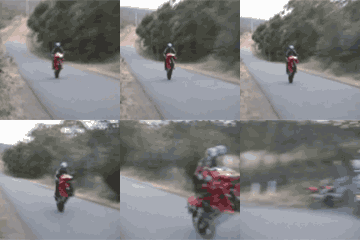
Bored...


Thread Starter
Registered User

Joined: Jul 2004
Posts: 1,434
From: Apple Isle

Bored...
so as you can see im very bored and found some very funny and weird things.
http://cgi.ebay.com/ws/eBayISAPI.dll...ayphotohosting
http://cgi.ebay.com/ws/eBayISAPI.dll...ayphotohosting
Thread Starter
Registered User
Joined: Jul 2004
Posts: 1,434
From: Apple Isle
Thread Starter
Registered User
Joined: Jul 2004
Posts: 1,434
From: Apple Isle
Thread Starter
Registered User
Joined: Jul 2004
Posts: 1,434
From: Apple Isle
Re: Bored...

Thread Starter
Registered User
Joined: Jul 2004
Posts: 1,434
From: Apple Isle
Re: Bored...
Can of coke anyone 
How to hack a vending machine 101:
PREFACE
Coke vending machines are everywhere. They're getting more and more like regular computers with LEDs that show little "ICE COLD" messages and whatnot. Well, there's a lot more to those little built-in computers than you may think. Included in the low-level operating system that these babies run on is an actual debug menu that gives you access to all sorts of machine information and possibly gives you free cokes in older machines.
WHICH MACHINES WORK?
There's a very strict list of vending machines that have the debug menu. First off, they're all COCA-COLA product vending machines. This means the giant, un-missable picture on the front must show any of the following: Coke, Dasani (Water), Barq's Root Beer, Vanilla Coke, Cherry Coke, Sprite, Evlan (water), Fanta, Fresca, Frutopia, Hi-C, Sprite Remix, Mad River, Mello Yello, Minute Maid, Nestea, Odwalla, Mr. Pibb/Pibb Xtra, Planet Java, Power Ade, Seagram's Ginger Ale, Simply Orange, Sparkletts, or Tab. Of course anything Diet or Caffeine free works too.
The machine must have an LED screen. Some of the older ones just allow the LED to be set to a price amount and won't have the debug menu. You're safer if the little LED is telling you something. Usually it will scroll a little message like "Ice Cold Cokes". Newer machines are more likely candidates.
ACCESSING THE MENU
To enter the menu, there's a button combination. HERE'S THE ONLY THING YOU HAVE TO REALLY REMEMBER:
[4]-[2]-[3]-[1]
The buttons are numbered depending on how they are positioned. They will either be vertical (more likely), or in horizontal rows of 4 buttons per row. If it is vertical, the first button is #1, the one below it is #2, and so forth. If the buttons are in horizontal rows, the first button is #1, and the one to the right of it is #2. The numbers work like a type writer after that. In rows of 4, the first button of row 2 will be button #5. So, to review, getting in to the debug menu looks like this:
COKE MACHINE::::::
$1.00 -------
-------------
[ Coke ] <-- Hit this button last
[ Coke ] <-- Hit this button second
[ Diet Coke ] <-- Hit this button third
[ Sprite ] <-- Hit this button first
[ And so on ]
-------------
Some text should show up on the LED (probably the word "Error", we'll explain what it means next sections). If nothing happens, your machine doesn't have the debug menu.
NAVIGATION
To navigate from option to option (What they are is next section), remember the numberings we gave the buttons. They work as follows:
Button [ 1 ] - Exit/Back
Button [ 2 ] - Up
Button [ 3 ] - Down
Button [ 4 ] - Select
OPTIONS
Depending on the age of the machine, you will get a varying amount of default options available.
On older machines: SALE, VER, EROR, and RTN
On newer machines: CASH, SALE, EROR, and RTN
CASH - Machine Earnings Display
The CASH option will display how much money is in the machine currently. It generally takes a second or two to load. From here, you can scroll up and down through 12 or 16 different options, depending on the machine age. These other options display how much money was spent on each individual item, classified through its button (or slot, as I like to call it) number.
A neat side note about the slot numbers is that there are more slot numbers than there are actual slot, so usually the last 4 buttons contain zero money. This could be so that the same OS could be used on bigger machines, but the newer machines have even more slot numbers.
SALE - Total Sale Count
The SALE option displays how many drinks have been sold out of the machine. This tends to be cumulative, but not on all machines. The stock guy is probably supposed to reset this each time he re-stocks. Also, this has the same sub-options as the CASH option, where you can scroll up and down and see how many drinks have been sold from each slot.
VER - System/Machine Version?
This option will cause a large alphanumeric string to scroll across the LCD. The number looks very much like a serial number, but doesn't vary from machine to machine. It is most likely the OS or machine version number, but of the older machines that have the option, I haven't seen one that doesn't have the same number.
EROR - Error Log
There are 8 different types of errors - COLJ (Column Jams), VEnd (Vend Mechanism), door (Door Switch), sels (Select Switch), CHAR (Changer Errors), acce (Acceptor Errors), StS (Space-to-sales errors), and bVal (Bill Validators). The separate types and actual errors are useless, as you assumably can't get inside the machine, BUT(!) you can clear the errors. Hold the enter (Number 4) button down for about 2 seconds, and it should clear the error.
RTN - Return
This is simply the return option. Selecting this will exit the debug menu. On newer machines, pressing the BACK button at the main menu will not exit, and RTN must be selected.
A side note: The menu can also be exited by pressing the coin return button.
EXTRAS
By holding in the coin return button and not releasing, on the newer "big-button" machines, this will display the internal temperature in Fahrenheit, as in "42F".
**Update**
There are many more menu options that are only accessible if they've either been enabled from the computer inside the machine, or on the internal computer behind the door (Probably not feasible for you to access).
CPO - Coin Payout Mode
You can can dump coins from the coin mechanism, and the various menu options allow you to choose which type of coins (Nickels, dimes, etc.) are dumped.
tVFL - Tube Fill Mode
This is useless to you. This allows you to load coins into the coin tubes, which you can't do from the outside.
TEST - Test Routines
This allows you to test the following various routines:
SE Allows you to test the buttons. Will give you number
of button when you press it
SP Sold-out paddle test. Not quite sure, most likely internal function.
Su Sold-out switch test. Same as paddle.
CO Motor test. Will run various column motors.
Cn Coin test. Put in a coin and it will tell you what kind of
coin it is.
nA Note acceptor test. Same as Cn, but for bills.
dSP Display test. Will illuminate various LEDs.
vErS Rattles off version number.
RELY - Relay test
This tests the relay electronic control of various parts. Do not do, as it will cause damage if various internal parts are not unplugged before usage.
PASS - Password
This is not normally accessible, but allows you to change the menu password from the 4-2-3-1. Whoo!
PrIC - Price Setting
Used to set the price for a drink. Not sure how to work it, but it seems simple enough.
StOS - Space-to-sales routine
Lets you change the STS routine and other options. This means that various buttons will all mean the same thing, i.e. the 6 coke buttons don't actually vend from 6 different columns, but vend from one (changing when one runs out of course).
COn - Machine Configuration/Permissions
This is the machine config menu that decides what of these options you are allowed to access through the outside panel. This is probably only accessible with the door open. I won't go into detail, but I'll list the Config numbers and what each do: C1 sets price menu on, C2 sets special (manufacturer) options on), C3 disables the "ICE COLD COKE" message. C4 is autoviewing of menu when door is opened, C5 is door switch status, C6 is mysteriously reserved for "future use", C7 determines whether your money credit stays in for 5 minutes or indefinitely, C8 is Force Vend, C9 allows multiple vends without putting in more money (i.e put in a 5 and get 3 cokes and then your change), and C10 is Escrow Inhibit.
CCoC - Correct Change Only Control
Adjusts Correct Change only rule to your liking.
TIME - Time Adjustment
Allows you to set the machine's local time.
LANG - Language Selection
Not sure how many languages are supported, but there are apparently more than just English.
USEFULNESS
Unless you can get behind the door, there's little you can do with this except impress your friends. However, if you're able to set the C-switches properly, you'll be able to manipulate the machine in any way you want, get free drinks, change the price, set up cool buy-one-get-one-free deals, etc, etc . Not to forget, knowledge is power. One step closer to free sodas!
How to hack a vending machine 101:
PREFACE
Coke vending machines are everywhere. They're getting more and more like regular computers with LEDs that show little "ICE COLD" messages and whatnot. Well, there's a lot more to those little built-in computers than you may think. Included in the low-level operating system that these babies run on is an actual debug menu that gives you access to all sorts of machine information and possibly gives you free cokes in older machines.
WHICH MACHINES WORK?
There's a very strict list of vending machines that have the debug menu. First off, they're all COCA-COLA product vending machines. This means the giant, un-missable picture on the front must show any of the following: Coke, Dasani (Water), Barq's Root Beer, Vanilla Coke, Cherry Coke, Sprite, Evlan (water), Fanta, Fresca, Frutopia, Hi-C, Sprite Remix, Mad River, Mello Yello, Minute Maid, Nestea, Odwalla, Mr. Pibb/Pibb Xtra, Planet Java, Power Ade, Seagram's Ginger Ale, Simply Orange, Sparkletts, or Tab. Of course anything Diet or Caffeine free works too.
The machine must have an LED screen. Some of the older ones just allow the LED to be set to a price amount and won't have the debug menu. You're safer if the little LED is telling you something. Usually it will scroll a little message like "Ice Cold Cokes". Newer machines are more likely candidates.
ACCESSING THE MENU
To enter the menu, there's a button combination. HERE'S THE ONLY THING YOU HAVE TO REALLY REMEMBER:
[4]-[2]-[3]-[1]
The buttons are numbered depending on how they are positioned. They will either be vertical (more likely), or in horizontal rows of 4 buttons per row. If it is vertical, the first button is #1, the one below it is #2, and so forth. If the buttons are in horizontal rows, the first button is #1, and the one to the right of it is #2. The numbers work like a type writer after that. In rows of 4, the first button of row 2 will be button #5. So, to review, getting in to the debug menu looks like this:
COKE MACHINE::::::
$1.00 -------
-------------
[ Coke ] <-- Hit this button last
[ Coke ] <-- Hit this button second
[ Diet Coke ] <-- Hit this button third
[ Sprite ] <-- Hit this button first
[ And so on ]
-------------
Some text should show up on the LED (probably the word "Error", we'll explain what it means next sections). If nothing happens, your machine doesn't have the debug menu.
NAVIGATION
To navigate from option to option (What they are is next section), remember the numberings we gave the buttons. They work as follows:
Button [ 1 ] - Exit/Back
Button [ 2 ] - Up
Button [ 3 ] - Down
Button [ 4 ] - Select
OPTIONS
Depending on the age of the machine, you will get a varying amount of default options available.
On older machines: SALE, VER, EROR, and RTN
On newer machines: CASH, SALE, EROR, and RTN
CASH - Machine Earnings Display
The CASH option will display how much money is in the machine currently. It generally takes a second or two to load. From here, you can scroll up and down through 12 or 16 different options, depending on the machine age. These other options display how much money was spent on each individual item, classified through its button (or slot, as I like to call it) number.
A neat side note about the slot numbers is that there are more slot numbers than there are actual slot, so usually the last 4 buttons contain zero money. This could be so that the same OS could be used on bigger machines, but the newer machines have even more slot numbers.
SALE - Total Sale Count
The SALE option displays how many drinks have been sold out of the machine. This tends to be cumulative, but not on all machines. The stock guy is probably supposed to reset this each time he re-stocks. Also, this has the same sub-options as the CASH option, where you can scroll up and down and see how many drinks have been sold from each slot.
VER - System/Machine Version?
This option will cause a large alphanumeric string to scroll across the LCD. The number looks very much like a serial number, but doesn't vary from machine to machine. It is most likely the OS or machine version number, but of the older machines that have the option, I haven't seen one that doesn't have the same number.
EROR - Error Log
There are 8 different types of errors - COLJ (Column Jams), VEnd (Vend Mechanism), door (Door Switch), sels (Select Switch), CHAR (Changer Errors), acce (Acceptor Errors), StS (Space-to-sales errors), and bVal (Bill Validators). The separate types and actual errors are useless, as you assumably can't get inside the machine, BUT(!) you can clear the errors. Hold the enter (Number 4) button down for about 2 seconds, and it should clear the error.
RTN - Return
This is simply the return option. Selecting this will exit the debug menu. On newer machines, pressing the BACK button at the main menu will not exit, and RTN must be selected.
A side note: The menu can also be exited by pressing the coin return button.
EXTRAS
By holding in the coin return button and not releasing, on the newer "big-button" machines, this will display the internal temperature in Fahrenheit, as in "42F".
**Update**
There are many more menu options that are only accessible if they've either been enabled from the computer inside the machine, or on the internal computer behind the door (Probably not feasible for you to access).
CPO - Coin Payout Mode
You can can dump coins from the coin mechanism, and the various menu options allow you to choose which type of coins (Nickels, dimes, etc.) are dumped.
tVFL - Tube Fill Mode
This is useless to you. This allows you to load coins into the coin tubes, which you can't do from the outside.
TEST - Test Routines
This allows you to test the following various routines:
SE Allows you to test the buttons. Will give you number
of button when you press it
SP Sold-out paddle test. Not quite sure, most likely internal function.
Su Sold-out switch test. Same as paddle.
CO Motor test. Will run various column motors.
Cn Coin test. Put in a coin and it will tell you what kind of
coin it is.
nA Note acceptor test. Same as Cn, but for bills.
dSP Display test. Will illuminate various LEDs.
vErS Rattles off version number.
RELY - Relay test
This tests the relay electronic control of various parts. Do not do, as it will cause damage if various internal parts are not unplugged before usage.
PASS - Password
This is not normally accessible, but allows you to change the menu password from the 4-2-3-1. Whoo!
PrIC - Price Setting
Used to set the price for a drink. Not sure how to work it, but it seems simple enough.
StOS - Space-to-sales routine
Lets you change the STS routine and other options. This means that various buttons will all mean the same thing, i.e. the 6 coke buttons don't actually vend from 6 different columns, but vend from one (changing when one runs out of course).
COn - Machine Configuration/Permissions
This is the machine config menu that decides what of these options you are allowed to access through the outside panel. This is probably only accessible with the door open. I won't go into detail, but I'll list the Config numbers and what each do: C1 sets price menu on, C2 sets special (manufacturer) options on), C3 disables the "ICE COLD COKE" message. C4 is autoviewing of menu when door is opened, C5 is door switch status, C6 is mysteriously reserved for "future use", C7 determines whether your money credit stays in for 5 minutes or indefinitely, C8 is Force Vend, C9 allows multiple vends without putting in more money (i.e put in a 5 and get 3 cokes and then your change), and C10 is Escrow Inhibit.
CCoC - Correct Change Only Control
Adjusts Correct Change only rule to your liking.
TIME - Time Adjustment
Allows you to set the machine's local time.
LANG - Language Selection
Not sure how many languages are supported, but there are apparently more than just English.
USEFULNESS
Unless you can get behind the door, there's little you can do with this except impress your friends. However, if you're able to set the C-switches properly, you'll be able to manipulate the machine in any way you want, get free drinks, change the price, set up cool buy-one-get-one-free deals, etc, etc . Not to forget, knowledge is power. One step closer to free sodas!
Thread Starter
Registered User
Joined: Jul 2004
Posts: 1,434
From: Apple Isle
Re: Bored...
A Lawyer runs a stop sign and gets pulled over by a Sheriffs' Deputy.
>
>He thinks that he is smarter than the Deputy because he is sure
>that he has a better education. He decides to prove this to himself
>and have some fun at the deputies' expense.
>
>Deputy says, "License and registration, please."
>
>Lawyer says, "What for?"
>
>Deputy says, "You didn't come to a complete stop at the stop sign"
>
>Lawyer says, "I slowed down, and no one was coming."
>
>Deputy says, "You still didn't come to a complete stop. License
>and registration, please."
>
>Lawyer says, "What's the difference?"
>
>Deputy says, "The difference is, you have to come to a complete
>stop, that's the law! License and registration, please!"
>
>Lawyer says, "If you can show me the legal difference between
>slow down and stop, I'll give you my license and registration
>and you give me the ticket, if not you let me go and no ticket."
>
>Deputy says, "Exit your vehicle, sir."
>
>At this point, the Deputy takes out his nightstick and starts
>beating the ever-loving crap out of the Lawyer and says:
>"DO YOU WANT ME TO STOP OR JUST SLOW DOWN?"
>
>He thinks that he is smarter than the Deputy because he is sure
>that he has a better education. He decides to prove this to himself
>and have some fun at the deputies' expense.
>
>Deputy says, "License and registration, please."
>
>Lawyer says, "What for?"
>
>Deputy says, "You didn't come to a complete stop at the stop sign"
>
>Lawyer says, "I slowed down, and no one was coming."
>
>Deputy says, "You still didn't come to a complete stop. License
>and registration, please."
>
>Lawyer says, "What's the difference?"
>
>Deputy says, "The difference is, you have to come to a complete
>stop, that's the law! License and registration, please!"
>
>Lawyer says, "If you can show me the legal difference between
>slow down and stop, I'll give you my license and registration
>and you give me the ticket, if not you let me go and no ticket."
>
>Deputy says, "Exit your vehicle, sir."
>
>At this point, the Deputy takes out his nightstick and starts
>beating the ever-loving crap out of the Lawyer and says:
>"DO YOU WANT ME TO STOP OR JUST SLOW DOWN?"
Thread Starter
Registered User
Joined: Jul 2004
Posts: 1,434
From: Apple Isle
Re: Bored...
couple of jokes:
Q: how do you give a hillbilly a circumscision?
A: kick his sister in the chin
GRANDPA AND HIS GRANDSON
A grandpa and grandson were on grandpa's boat fishing one day. The grandpa takes out a cigarette and lights up. "Grandpa, asks the little boy, can I have some of your cigarette?" The Grandfather asks him,"can you touch your a**hole with your *****?" "No," answers the boy. Well then, says Grandpa, you are not old enough. A short time later the grandfather takes a beer out of his cooler. "Grandpa, asks the little boy, can i have some of your beer?" Again the grandpa asks, "Can you touch your a**hole with your *****?" "No," replies the little boy. "Well, says grandpa, then you are not old enough. Two hours later, the little boy is hungry and takes out a bag of cookies from his lunchbox. The grandpa looks at the cookies and says,"boy, those cookies look and smell so good, can grandpa have some?" The little boy asks, Grandpa, can you touch your a**hole with your *****?" "Why I most certainly can!" boasts the grandpa. The little boy replies "Well..then go f**k yourself, these are MY cookies!"
BEERS ALL AROUND
Two guys, Brian and Dave, fancied a drink or two but didn't have much money between them. They could only raise the staggering sum of two dollars.
Brian said "Hang on, I have an idea." He went to the butcher's shop and came out with one large sausage.
Dave said "Are you crazy? Now we don't have any money left at all!"
Brian replied, "Don't worry - just follow me."
They went into the nearest bar where Brian immediately ordered two beers and two whiskies.
Dave said "Now you've lost it. Do you know how much trouble we will be in? We haven't got any money!!"
Brian replied, with a smile. "Don't worry, I have a plan, Cheers!"
They downed their drinks.
Brian said, "OK, I'll stick the sausage in my pants. You go on your knees, pull it through my zipper and put it in your mouth."
As Dave did this, the barman noticed them, went berserk, and threw them out. They continued the same scam, bar after bar, getting drunker and drunker, and all for free.
At the tenth bar Dave said "Brian - I don't think I can do any more of this. I'm drunk and me knees are killin' me! I'm losin the plot"
Brian said, "How do you think I feel? I lost the sausage
in the third bar."
Q: how do you give a hillbilly a circumscision?
A: kick his sister in the chin
GRANDPA AND HIS GRANDSON
A grandpa and grandson were on grandpa's boat fishing one day. The grandpa takes out a cigarette and lights up. "Grandpa, asks the little boy, can I have some of your cigarette?" The Grandfather asks him,"can you touch your a**hole with your *****?" "No," answers the boy. Well then, says Grandpa, you are not old enough. A short time later the grandfather takes a beer out of his cooler. "Grandpa, asks the little boy, can i have some of your beer?" Again the grandpa asks, "Can you touch your a**hole with your *****?" "No," replies the little boy. "Well, says grandpa, then you are not old enough. Two hours later, the little boy is hungry and takes out a bag of cookies from his lunchbox. The grandpa looks at the cookies and says,"boy, those cookies look and smell so good, can grandpa have some?" The little boy asks, Grandpa, can you touch your a**hole with your *****?" "Why I most certainly can!" boasts the grandpa. The little boy replies "Well..then go f**k yourself, these are MY cookies!"
BEERS ALL AROUND
Two guys, Brian and Dave, fancied a drink or two but didn't have much money between them. They could only raise the staggering sum of two dollars.
Brian said "Hang on, I have an idea." He went to the butcher's shop and came out with one large sausage.
Dave said "Are you crazy? Now we don't have any money left at all!"
Brian replied, "Don't worry - just follow me."
They went into the nearest bar where Brian immediately ordered two beers and two whiskies.
Dave said "Now you've lost it. Do you know how much trouble we will be in? We haven't got any money!!"
Brian replied, with a smile. "Don't worry, I have a plan, Cheers!"
They downed their drinks.
Brian said, "OK, I'll stick the sausage in my pants. You go on your knees, pull it through my zipper and put it in your mouth."
As Dave did this, the barman noticed them, went berserk, and threw them out. They continued the same scam, bar after bar, getting drunker and drunker, and all for free.
At the tenth bar Dave said "Brian - I don't think I can do any more of this. I'm drunk and me knees are killin' me! I'm losin the plot"
Brian said, "How do you think I feel? I lost the sausage
in the third bar."





Thread Starter
Registered User
Joined: Jul 2004
Posts: 1,434
From: Apple Isle
Re: Bored...
Originally Posted by FULLHOUSE_R1
dude get a job...get outta the house...go for a ride...do something
so i always got time.
Dont have a bike to ride so it counts that out as well

Thread Starter
Registered User
Joined: Jul 2004
Posts: 1,434
From: Apple Isle
Re: Bored...
Originally Posted by GIXER JB
mike_pop: Yes... bored, am I! Is there to do something here around? Hey GMB how did you like 50 Nuts? 
Hey GMB how did you like 50 Nuts? I would love get a couple more but i think i would rather my own bike and try some of the shizz myself